
See the whole delivery day
Bring order destinations together so your team can organize deliveries and understand each route.
Bring a little calm to your delivery day. Organize stops, plan optimized routes, and help your flowers arrive where they belong.
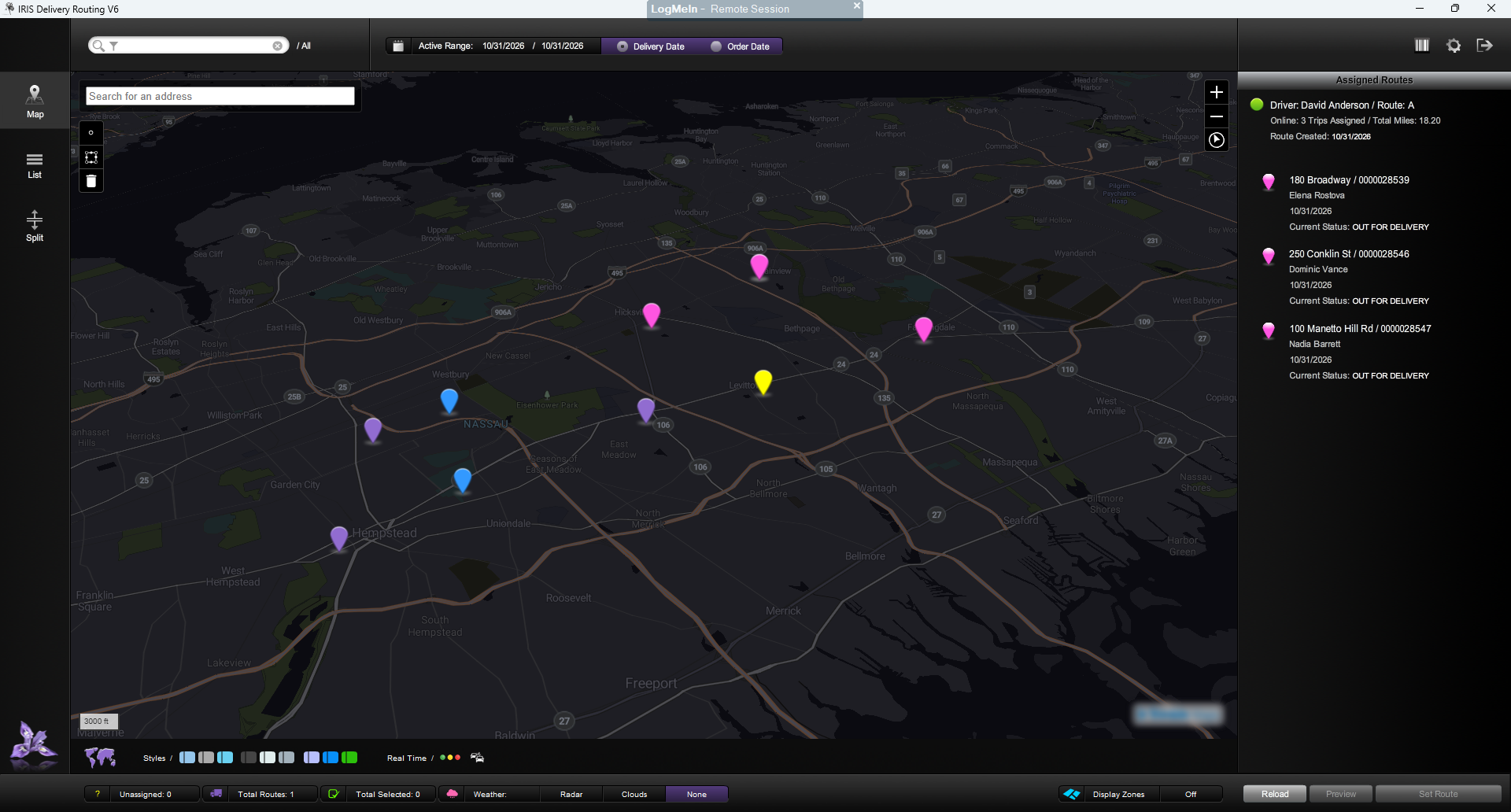
Busy holidays shouldn't mean juggling delivery paperwork. IRIS delivery routing gives your team a clearer view of the day. Organize your orders into routes, see destinations on a map, and prepare the information drivers need before they leave the shop.
IRIS Delivery Routing lets you add an unlimited number of deliveries to a single route—no delivery-count cap to work around.
From neighborhood flower shops to larger floral businesses, build routes around your delivery day—including the order volume that comes with your busiest holidays.
Explore the views and tools behind your flower shop’s delivery day.
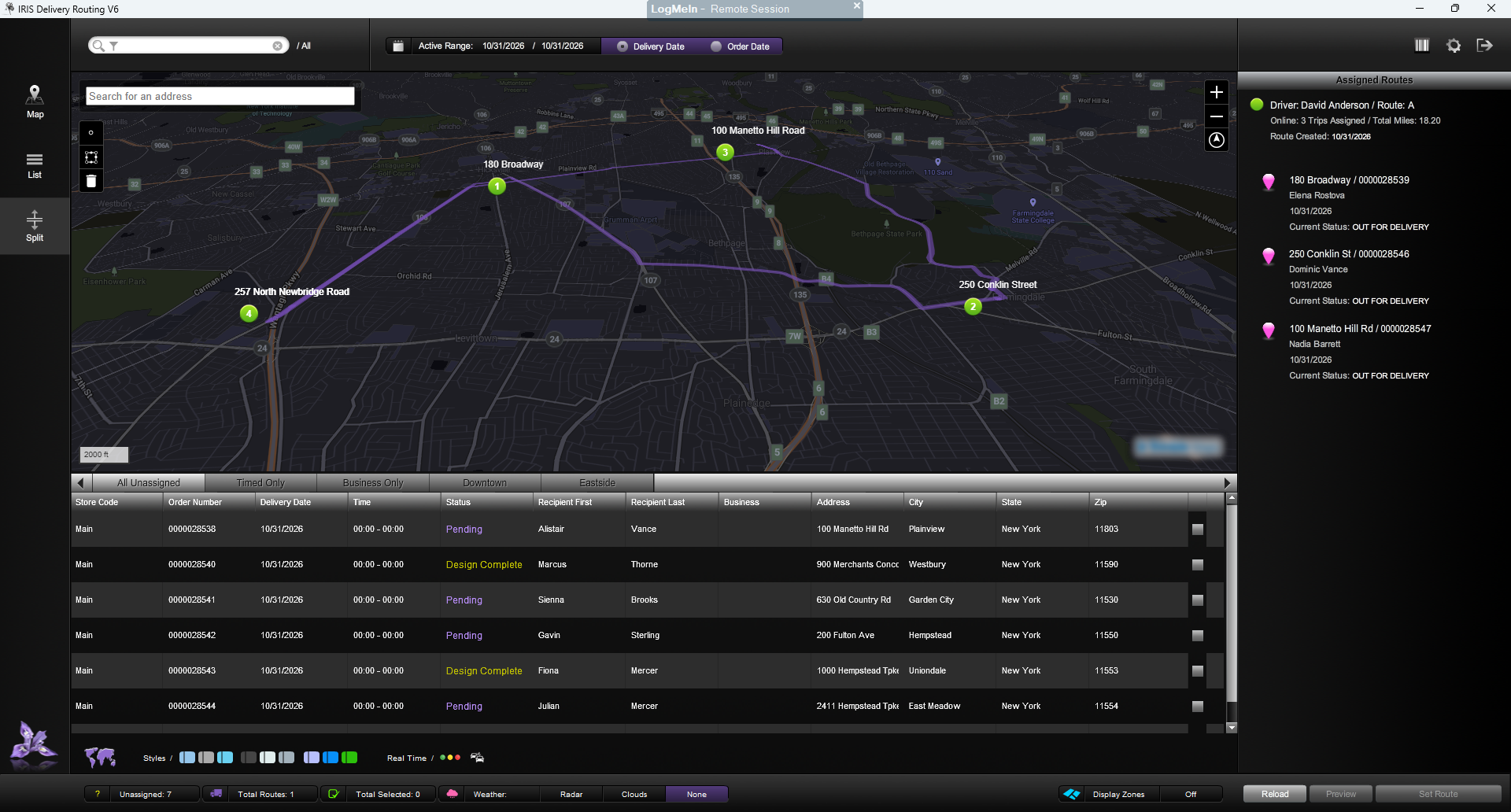
Keep your delivery map and order list together in one clear view. See both at the same time, so you can review your deliveries without switching between screens.
View full-size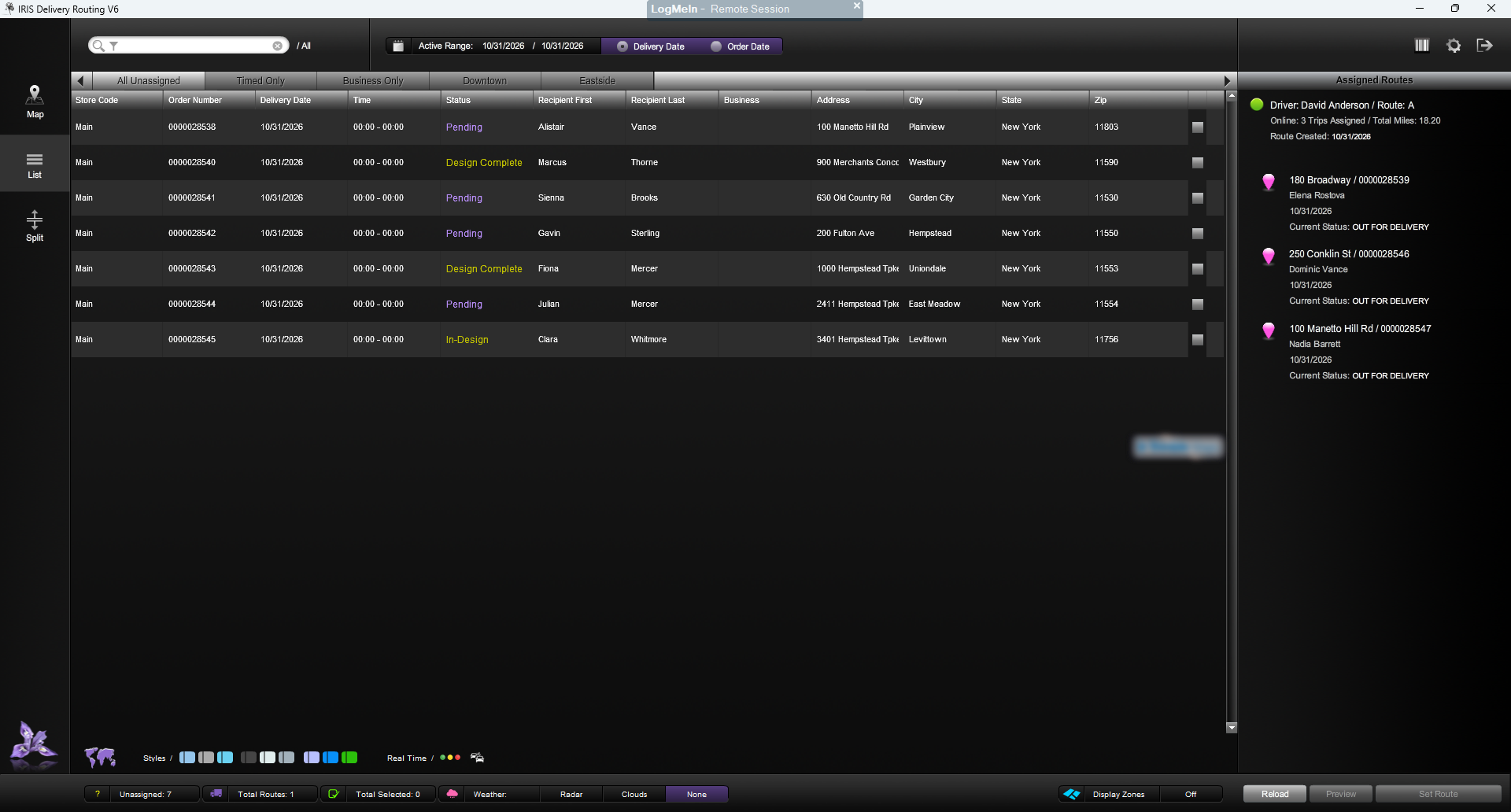
See all outstanding delivery orders on one screen. IRIS List View gives your team a focused overview of the deliveries still to be managed.
View full-size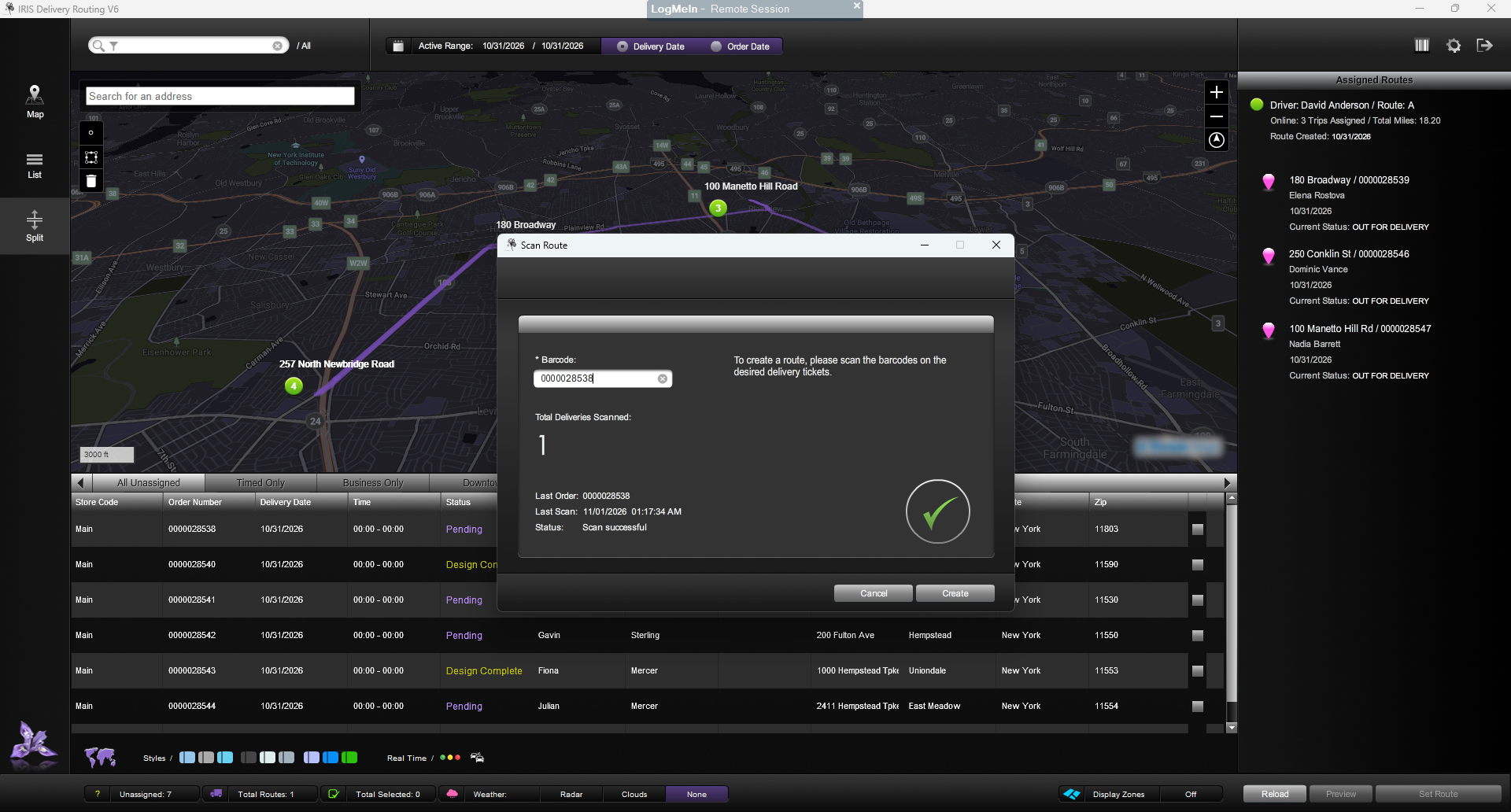
Create delivery routes by scanning the barcodes on your delivery/super-tickets. Turn the tickets your team already uses into a convenient starting point for route creation.
View full-size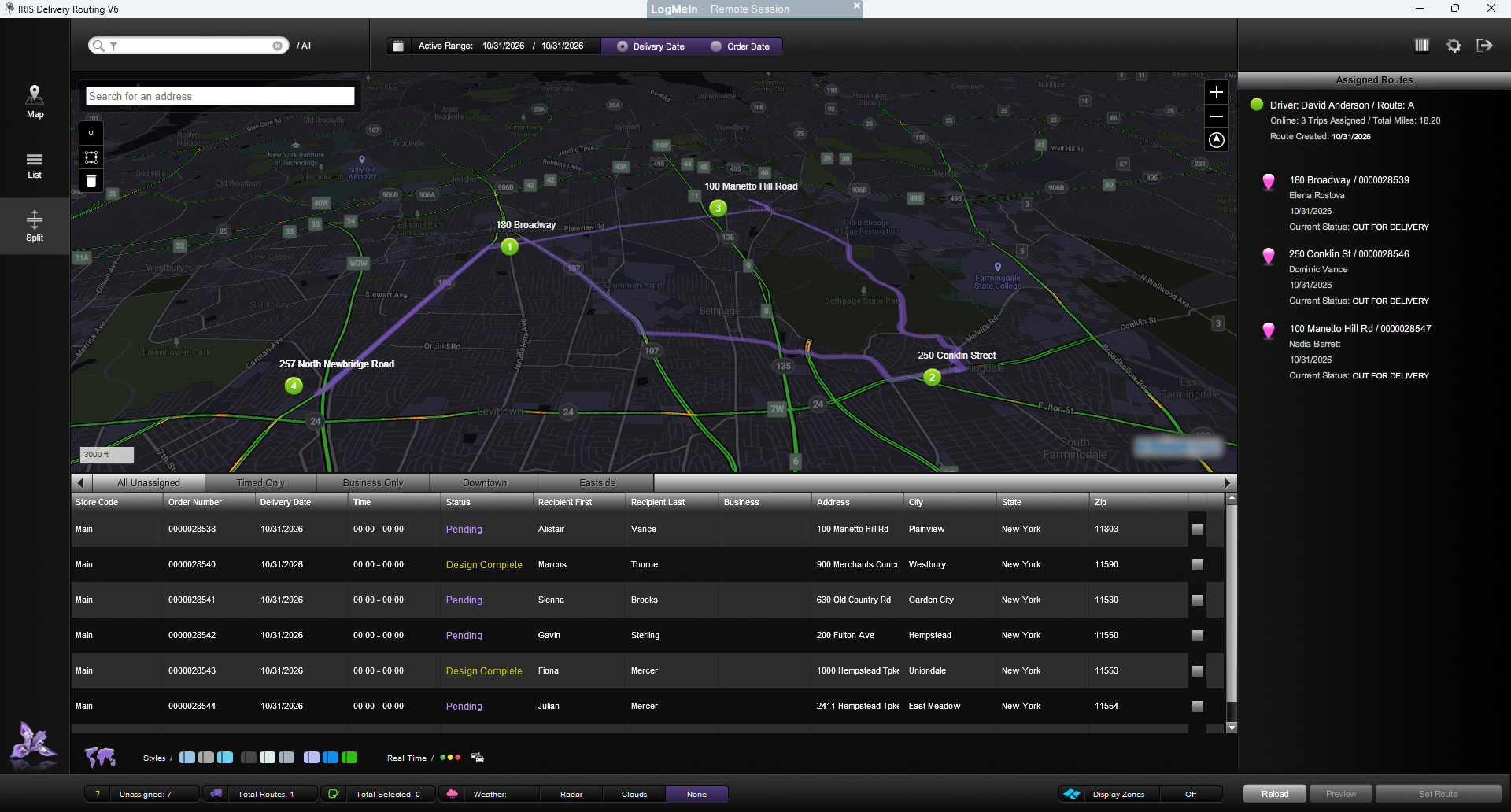
Bring traffic conditions into view with one click. See traffic details in your delivery areas for an extra layer of context as you plan your delivery day.
View full-size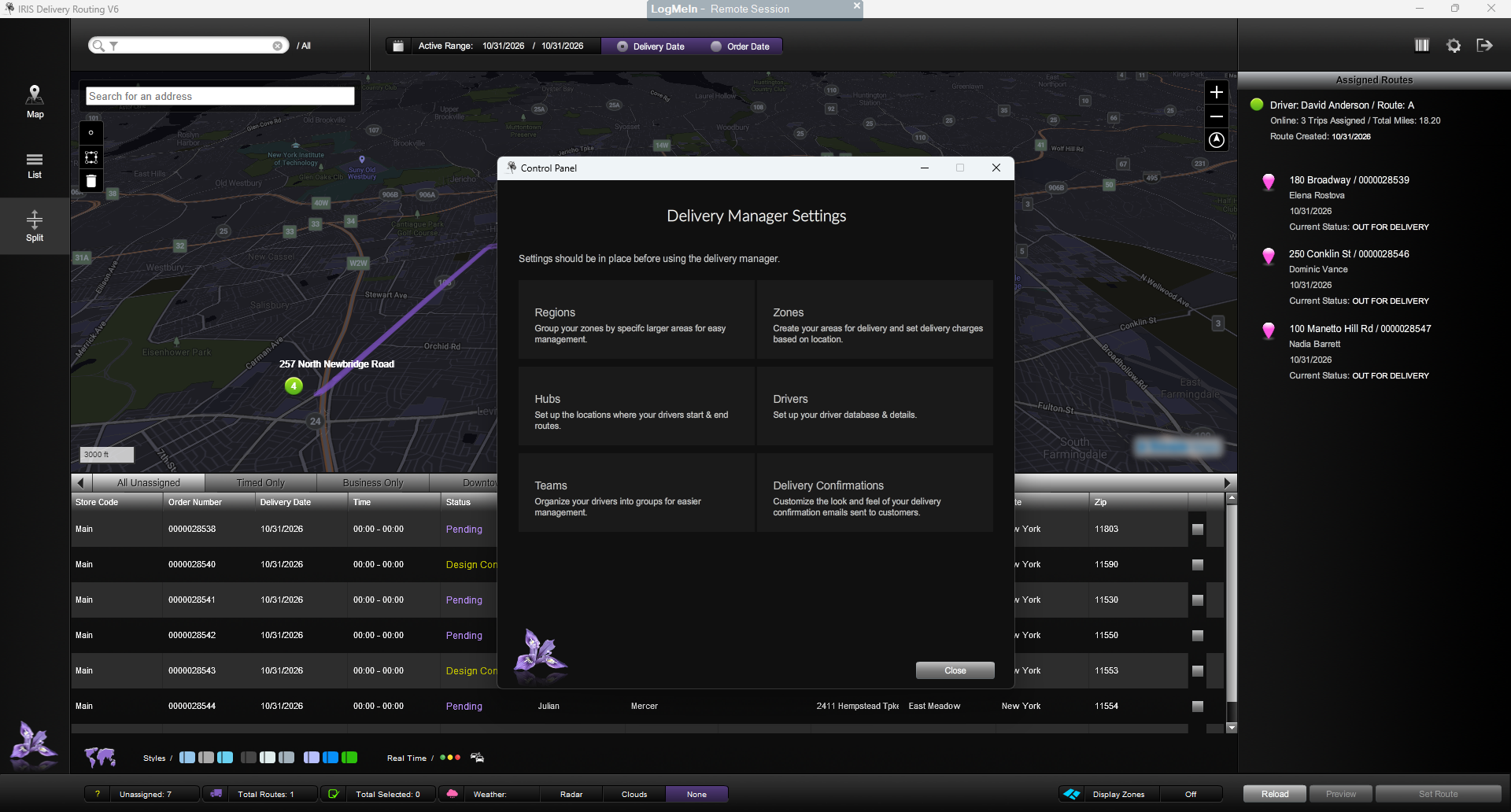
Tailor your delivery workflow from the control panel. Configure advanced delivery management options to suit the way your flower shop works.
View full-size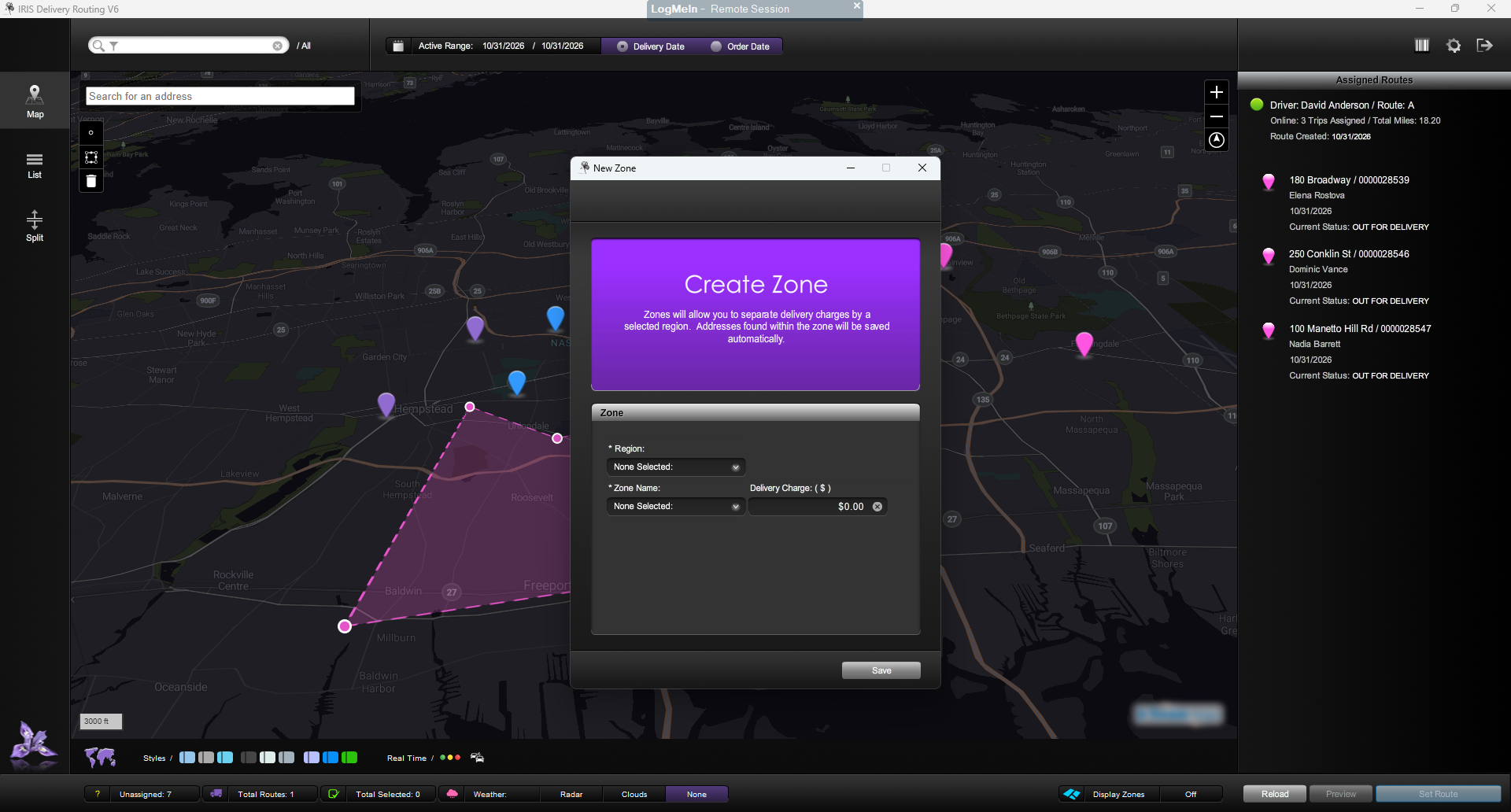
Draw and create delivery zones directly on your map. Shape the areas that work for your flower shop with a clear, visual approach to zone setup.
View full-sizeMore detail when your delivery day calls for it. IRIS Radar gives your dispatchers and drivers weather context alongside routing information, so they can plan with a clearer picture of the conditions in your area.
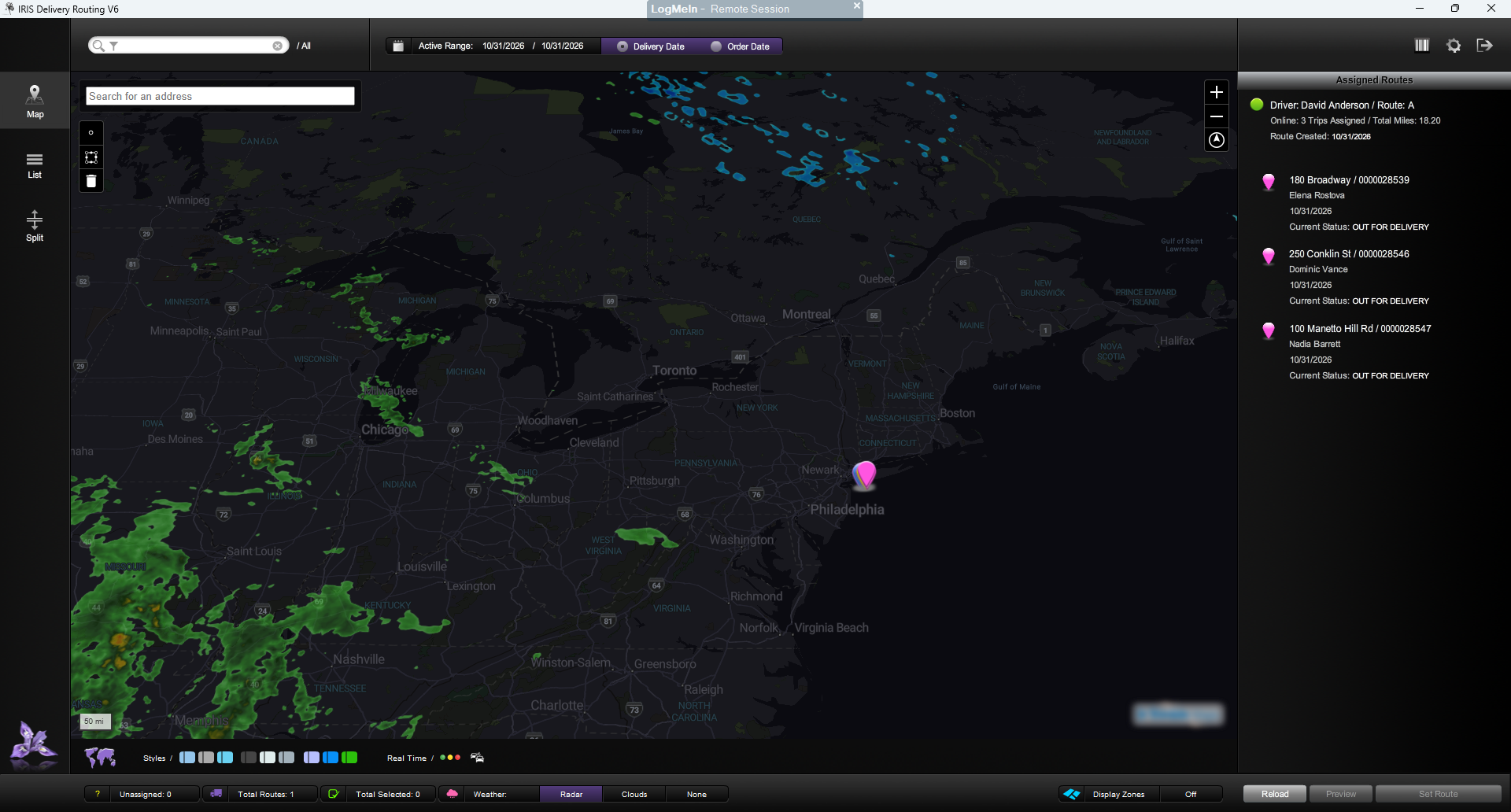
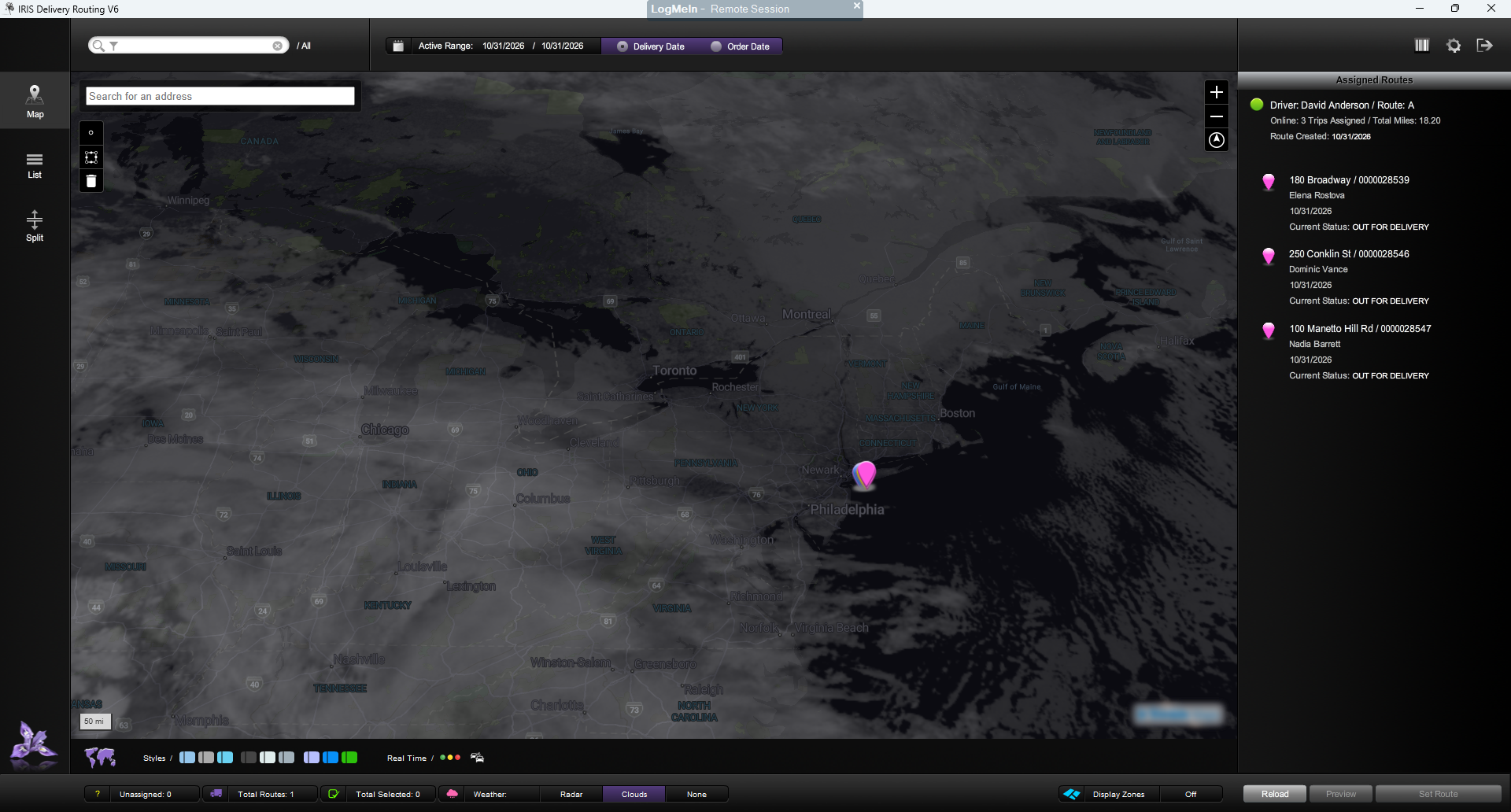
Weather can change the shape of a delivery day. View radar and cloud information for your area to help your team assess routes and plan time-sensitive deliveries.
By factoring in weather conditions, IRIS Radar can help calculate estimated delivery times for individual orders and entire routes. Use that context to anticipate possible delays or downtime, keep customers informed and discuss any weather-related rescheduling that may be needed.
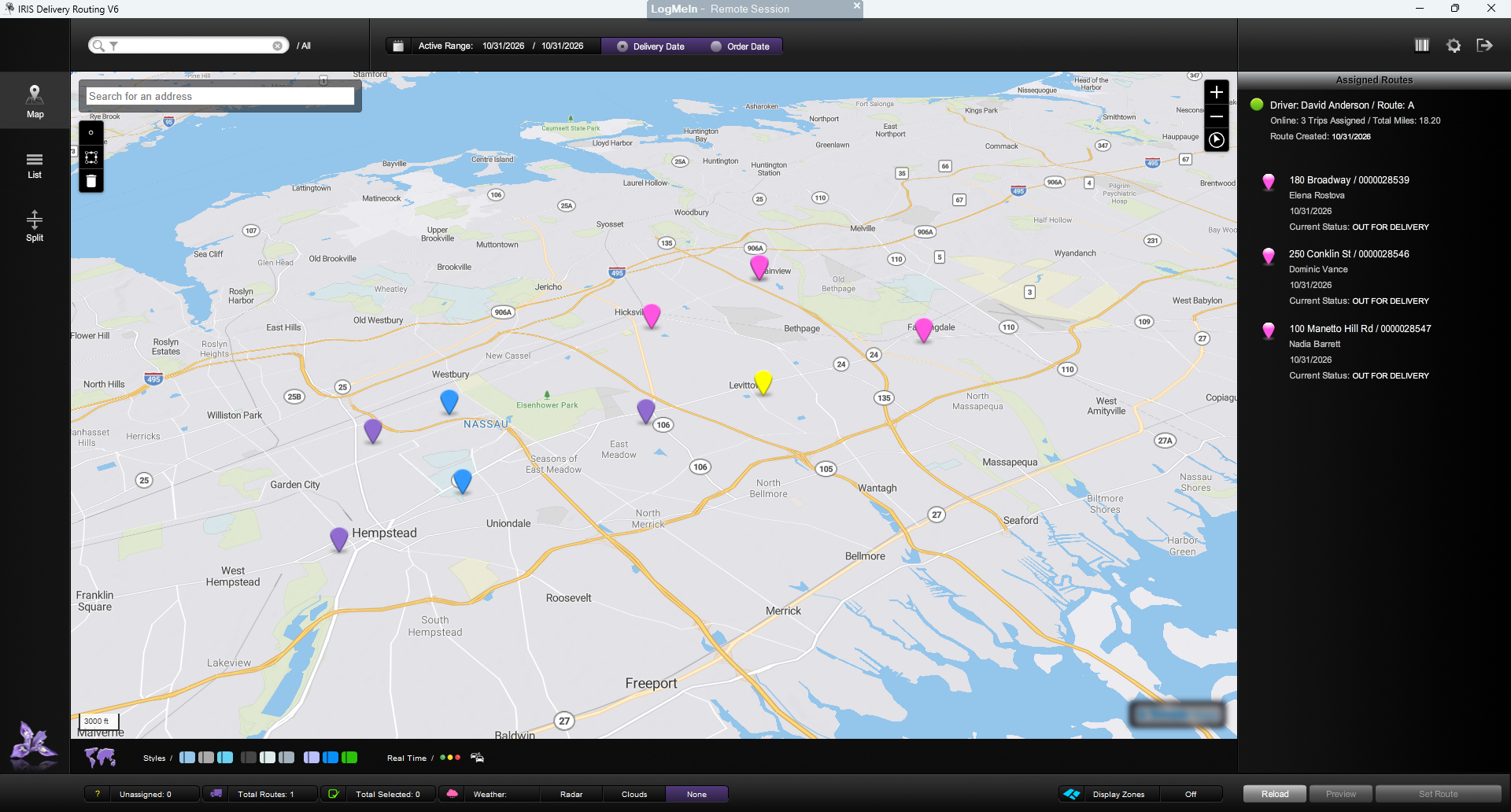
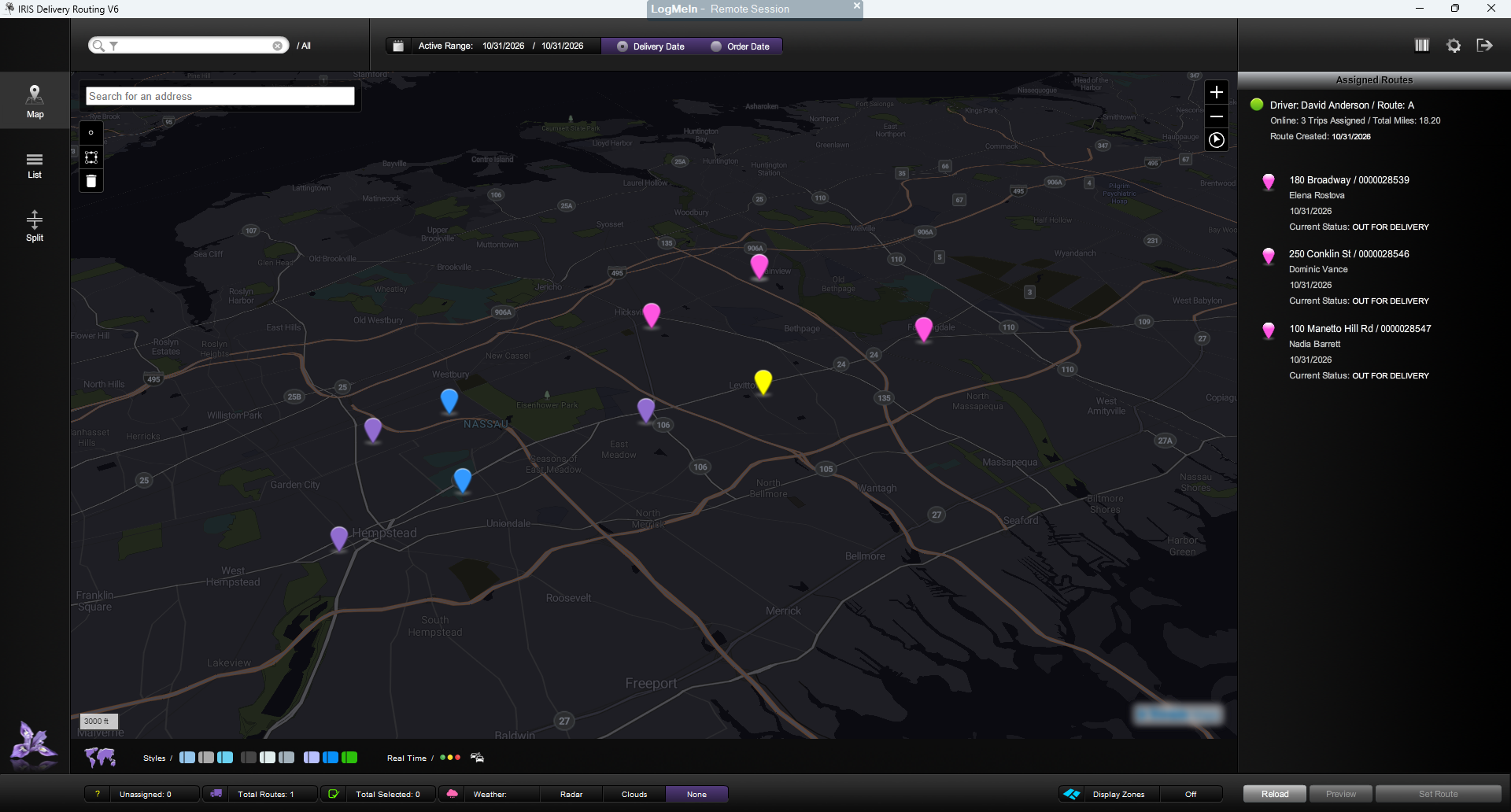
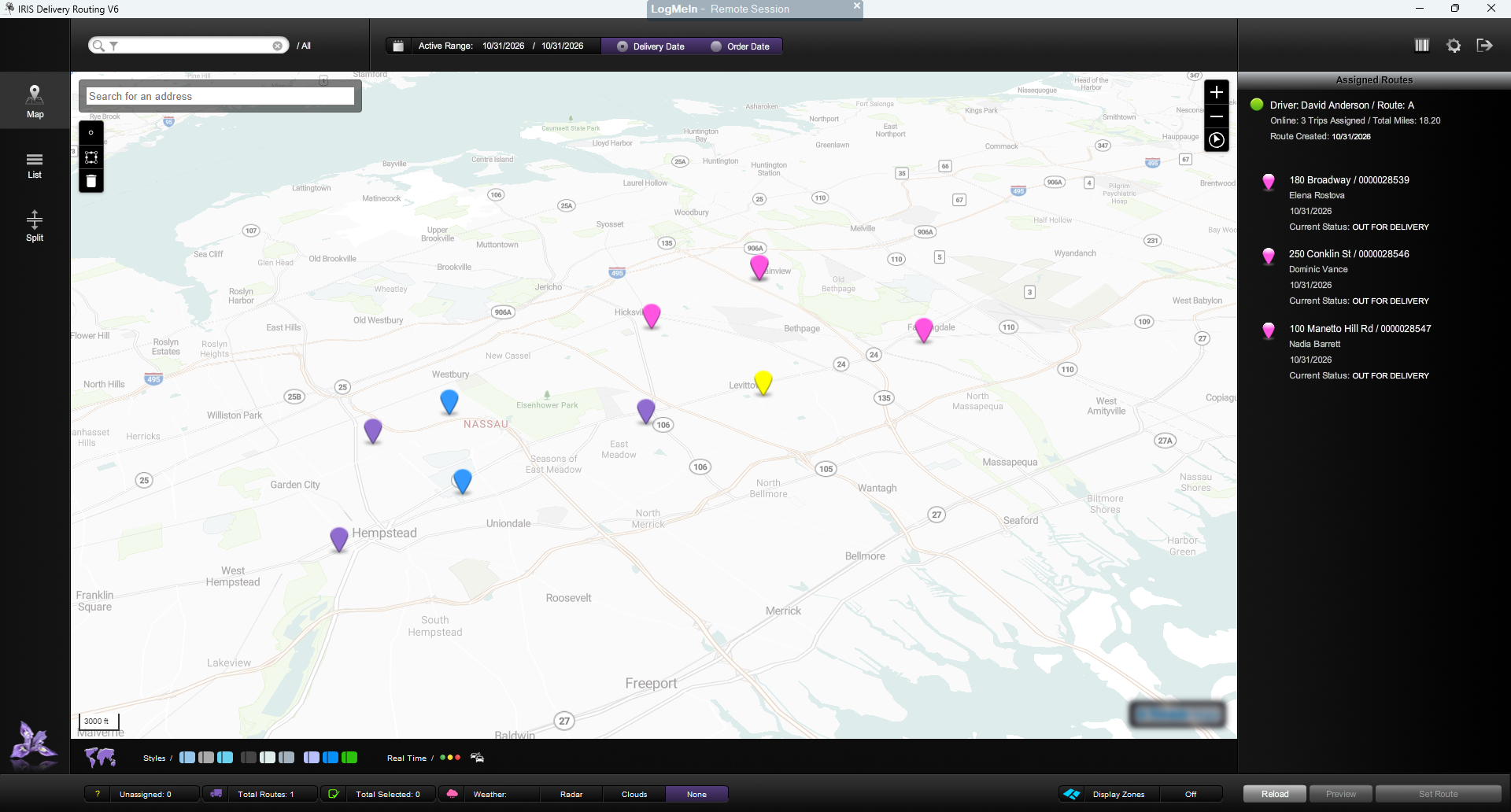
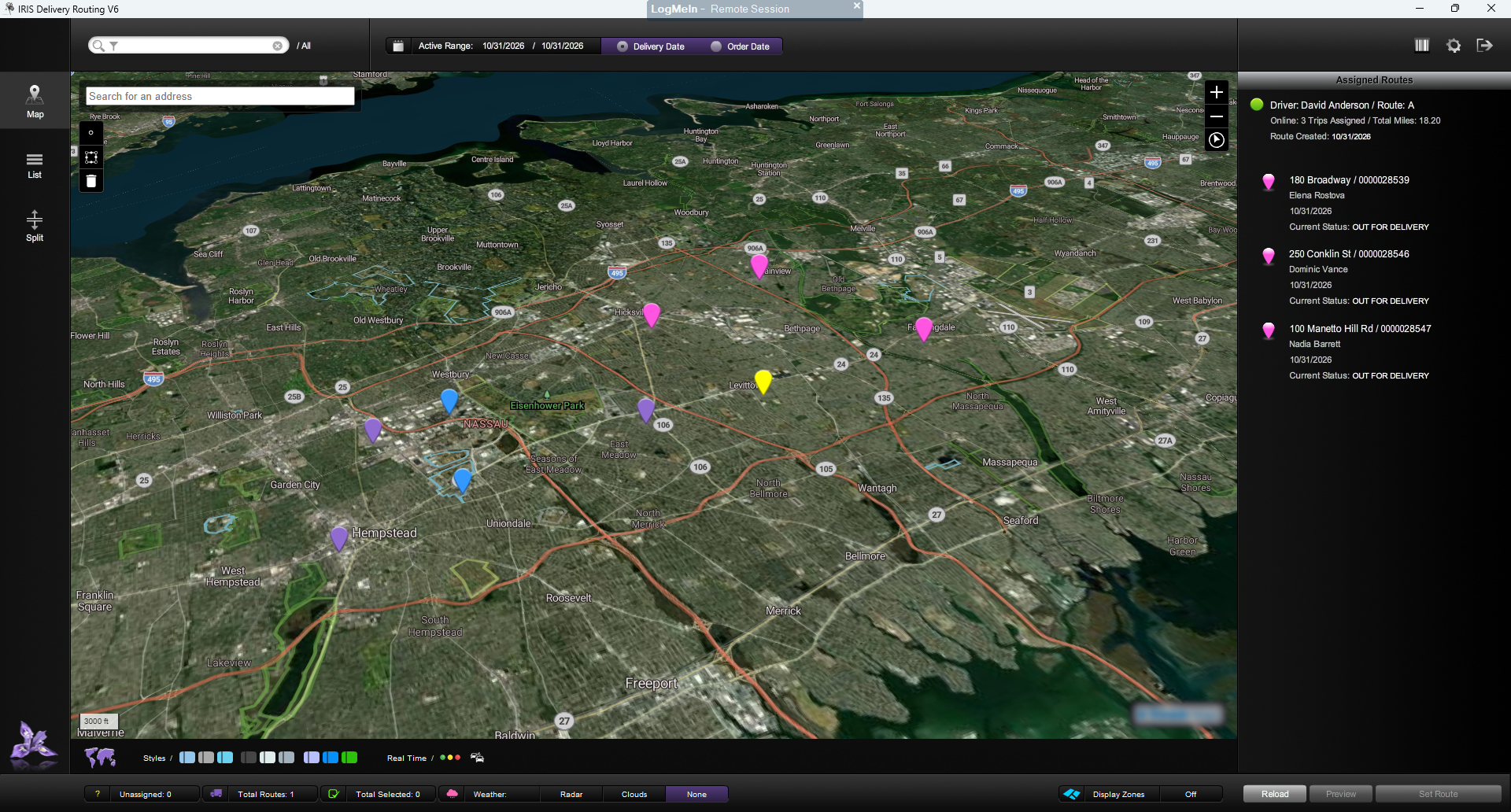
IRIS Delivery Routing offers up to 9 visual map modes, giving you the freedom to choose the look you prefer. Explore four of the available styles below and find the view that feels right for you.
See how to select delivery orders on a map, create a route, assign a driver and adjust stops—all in one product walkthrough.
Choose Play to watch. Use the player controls for sound, English captions and fullscreen viewing.
Having trouble playing the demo? Use the player controls or open the video separately.
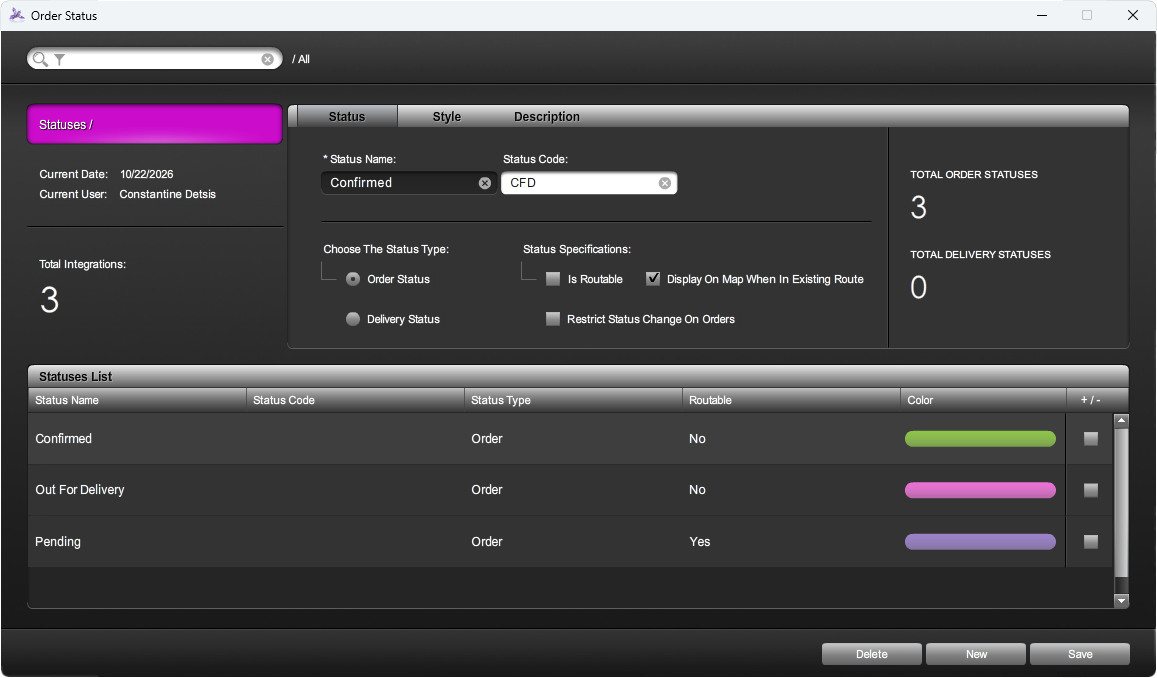
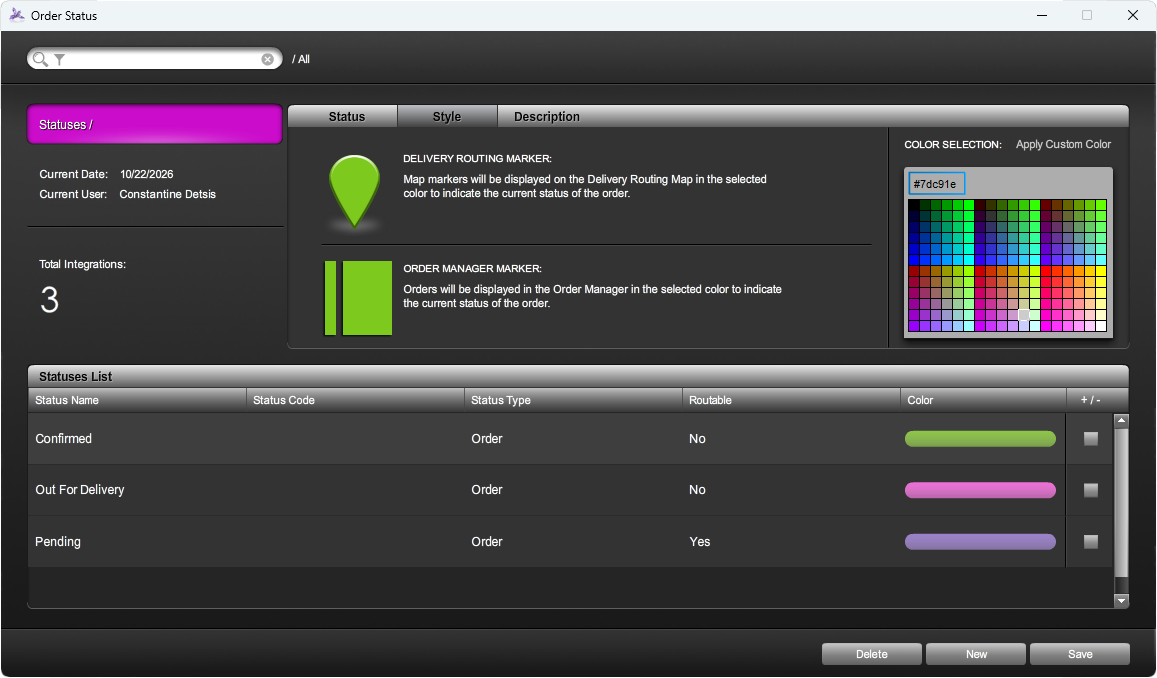
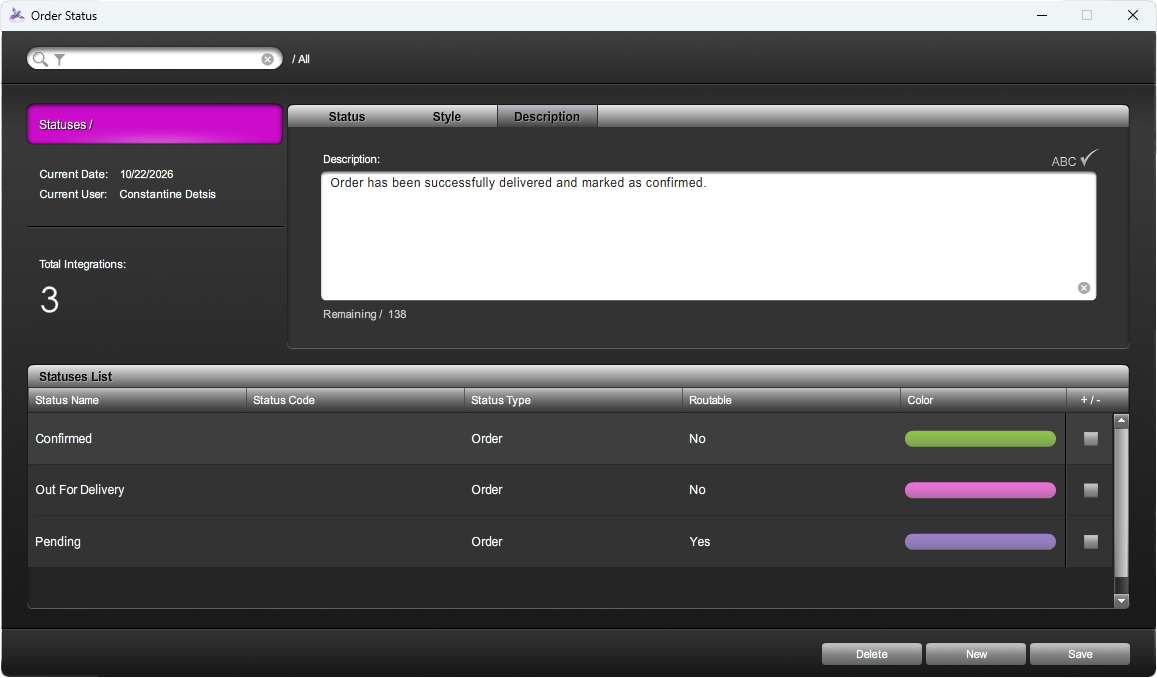
Your delivery workflow isn’t one-size-fits-all. IRIS puts you in control with statuses, color-coded markers and routing rules tailored to your flower shop. Give your team a clearer picture of every order—and the confidence to keep your delivery day moving.
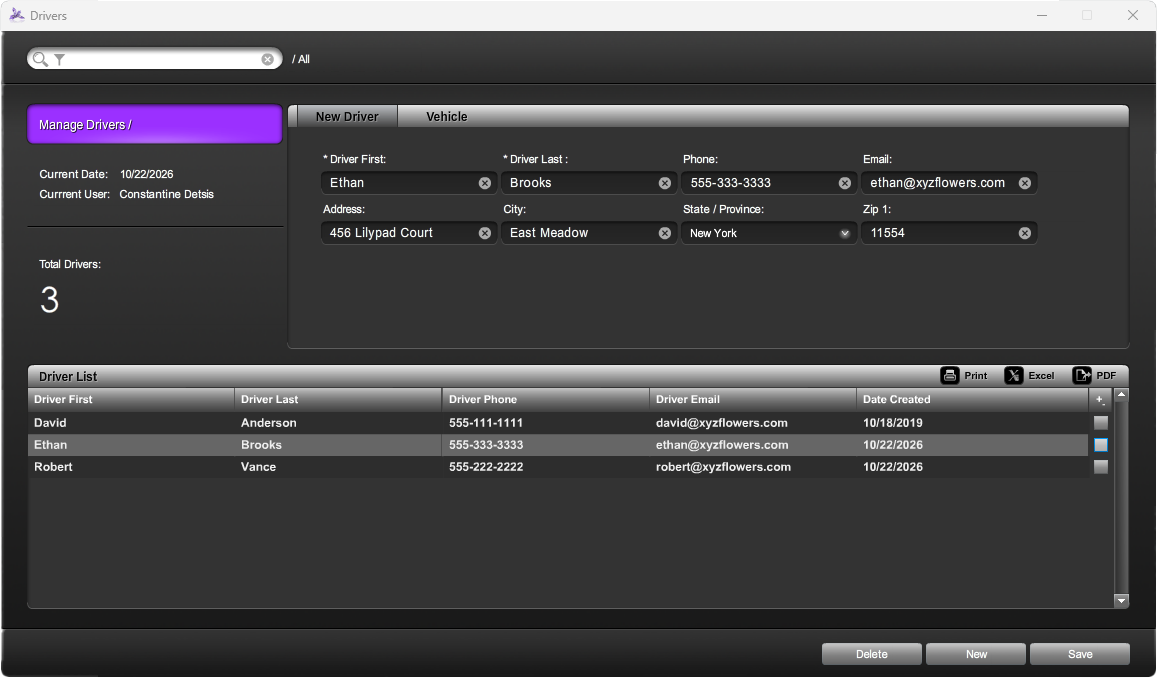
Bring your delivery team together in one organized view. Create driver profiles with names, contact details and vehicle information, then select a driver and assign deliveries or routes directly from your routing manager. Less time coordinating. More time keeping your delivery day moving.
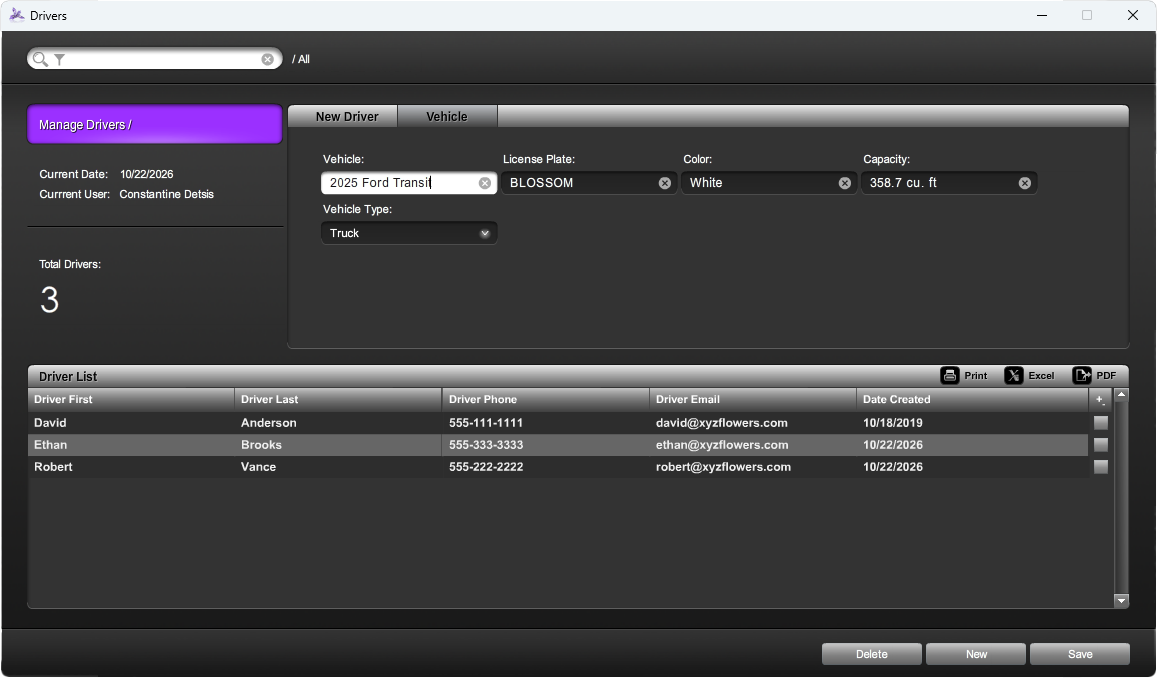
Make every trip a better fit for the vehicle. Whether your driver uses a van, SUV or car, IRIS AI can assist with route planning based on vehicle type and capacity—helping you select the right driver and plan an appropriate delivery load for each trip.
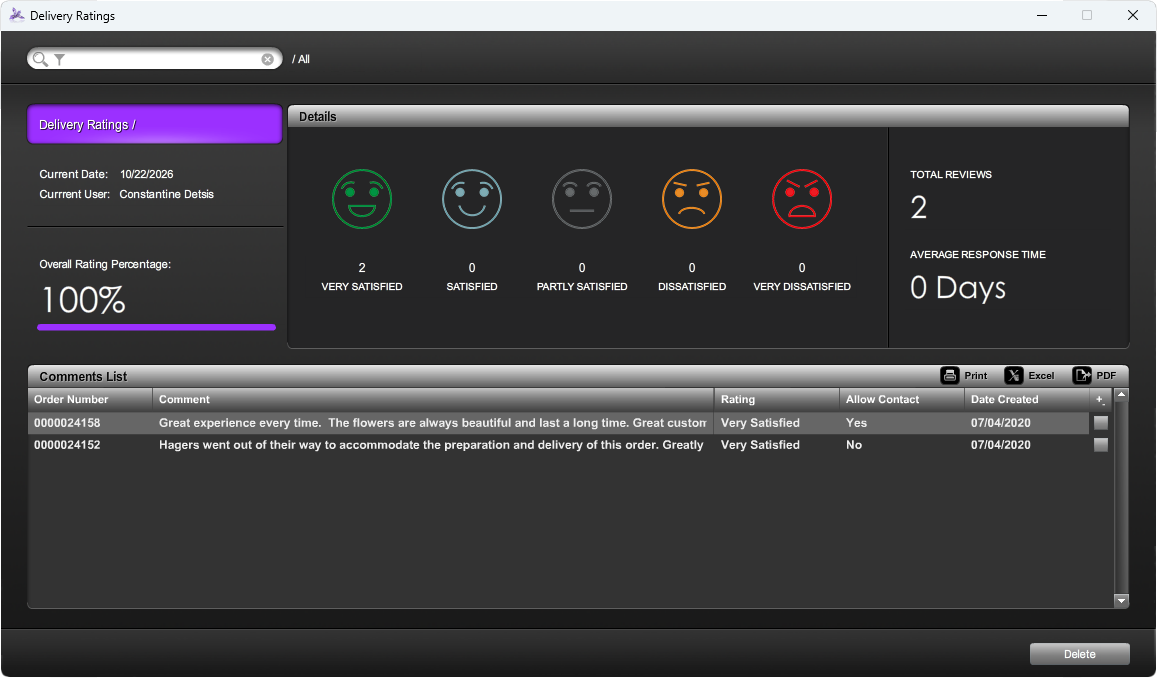
Turn delivery feedback into a clearer picture of your customer experience. Once your driver confirms a delivery, customers can receive a confirmation email with an invitation to rate your shop’s service. IRIS brings that feedback together so you can recognize what’s working and spot opportunities to improve.
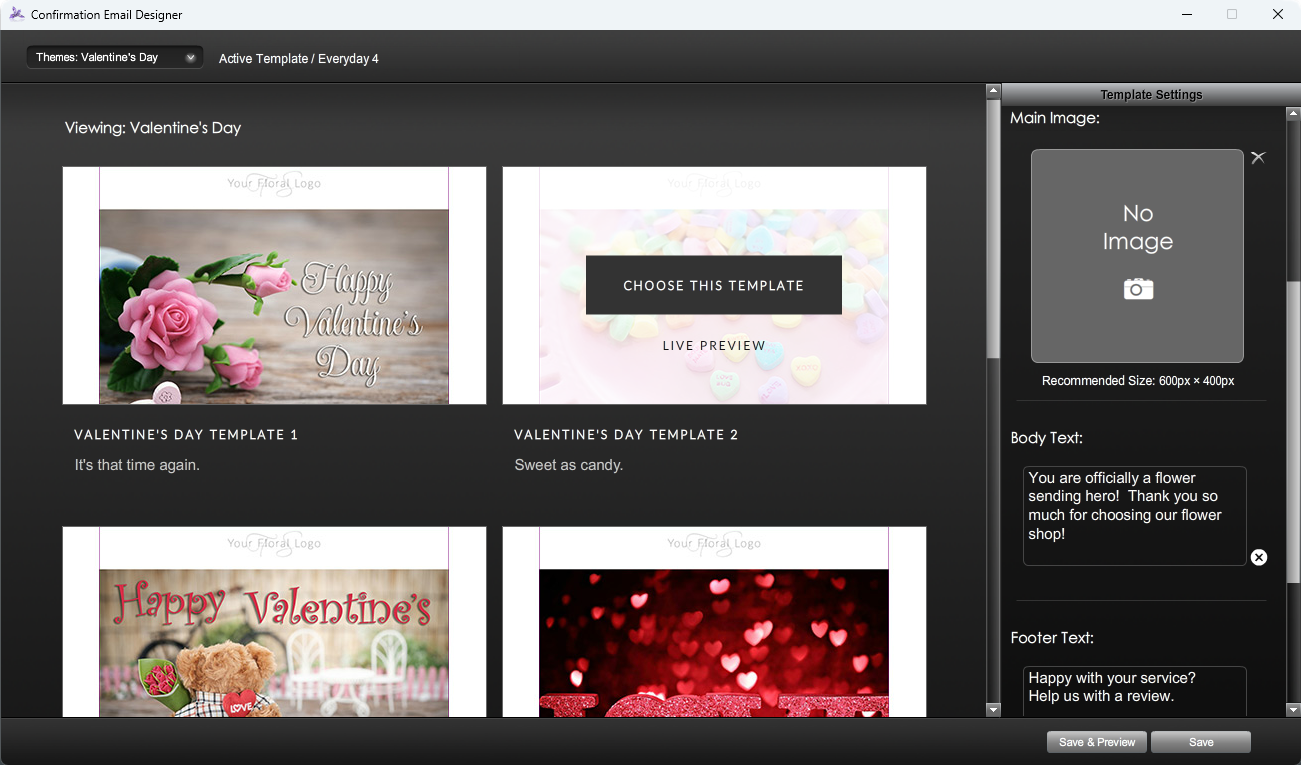
Turn a delivery confirmation into one more reason customers remember your flower shop. With the IRIS Confirmation Email Designer, create branded emails that feel right for the occasion—from seasonal celebrations to everyday gestures. Start with a ready-made theme, make it your own and invite customers to share their experience.
Bring order destinations together so your team can organize deliveries and understand each route.
Use optimized routing to put your stops in a more practical order, especially when your delivery list is growing.
Print a route manifest and export to GPS so your drivers have the directions and delivery details they need.
We’ll help you choose the right tools for the way your shop works.
Ask our team ↗Yes. Our team helps import your existing data and provides training so you and your staff can settle into IRIS. Contact us to talk through your current system and the data you need to bring across.
IRIS floral POS has an offline mode for core tasks when your connection drops. Some connected functions still require internet access; our team can explain which features remain available for your setup.
No. IRIS offers a pay-as-you-go approach without a long-term contract. Talk with our team about the products and plan that fit your shop.
Your current IRIS offer is a 14-day trial with no credit card or contract required. Contact our team to arrange your trial and confirm the right products for your business.
Yes. Training and support are included in your monthly plan, with a dedicated representative who gets to know your business. Reach our in-house team at 877.810.4747.
Yes. IRIS runs on both PC and Mac operating systems, with no drive partitioning or virtualization software required—simply install it and get started.
You are not required to use IRIS-recommended hardware, although it is advised. IRIS is designed for high-quality printers, scanners, card readers, and other commonly used retail peripherals; most hardware will usually work, but perfect operation with every device cannot be guaranteed.
No. You can keep your existing credit card processor, though IRIS-preferred processors offer certain integration advantages.
Yes. IRIS is fully certified EMV compliant and can suggest compatible chip-card terminals for your setup.
No. Your monthly fee covers your IRIS service, with no hidden service fees or charges.
Underwriting can usually provision a merchant account within 24–48 hours, provided all required information is complete. Timing is typical and remains subject to underwriting approval.
IRIS integrates with Shopify, WooCommerce, BigCommerce, 3dCart, and Flower Shop Network, and also offers a built-in shopping cart for existing websites. Contact us to discuss the setup that best matches your site.
Yes. Through its Flower Shop Network integration, IRIS lets you send and receive orders directly from the IRIS floral POS.
Yes. IRIS supports industry-standard delivery and superticket layouts, including Teleflora Dove, Eagle, FTD, and RTI.
No. IRIS manages your backups, with data on IRIS servers protected by multiple layers of encryption, nightly backups, and 15-minute incremental backups. Data is also replicated to a secondary secure location to support recovery.